Task experience
Explicit claiming + workflow polish
1 / 8

A clearer way to start and work on tasks

Opening a task is now safe and informational. Work only becomes yours when you explicitly start it—and the rest of the drawer is easier to read, navigate, and trust.

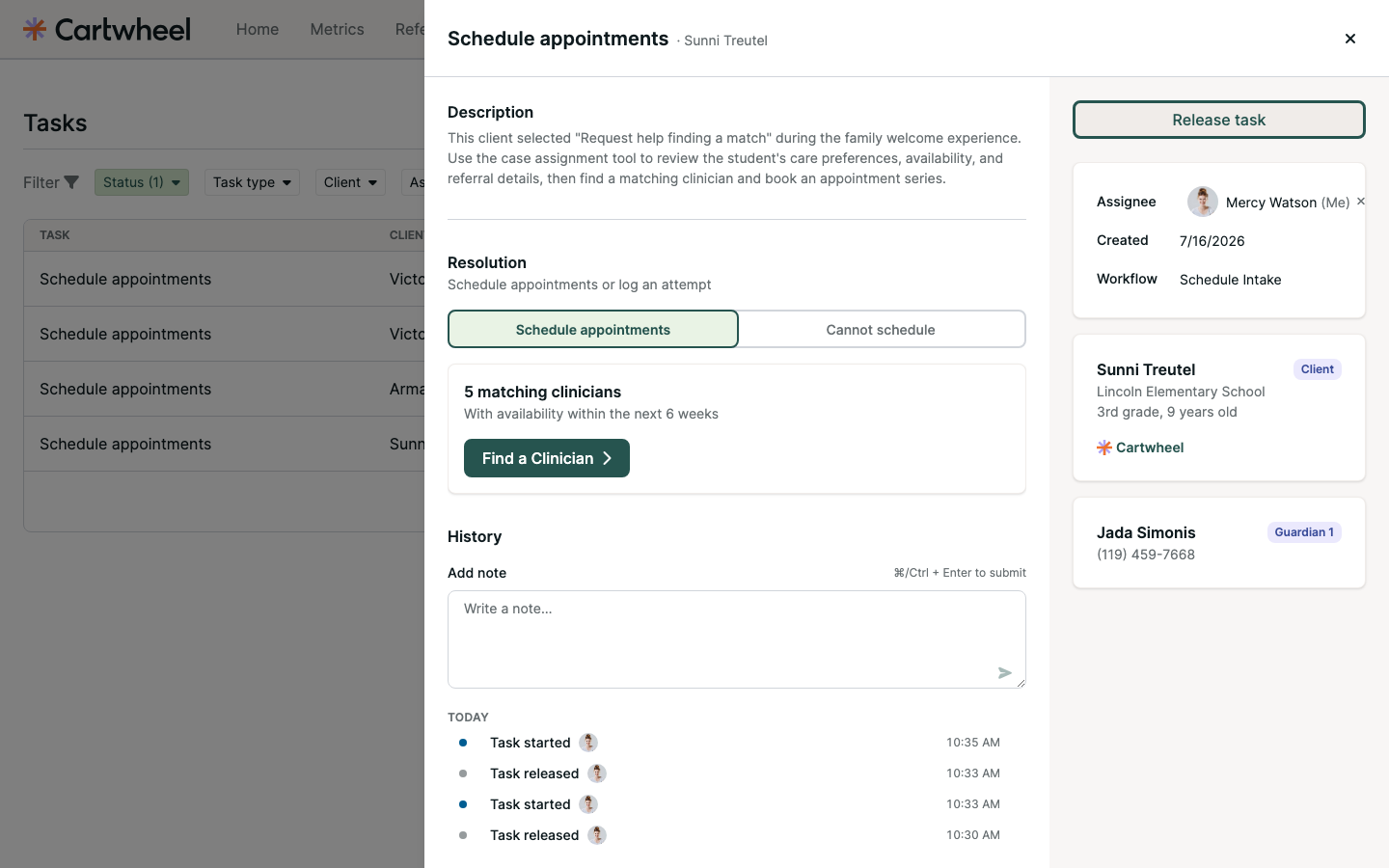
Final claimed task drawer
One clear ownership actionStart, Release, or Take over—always in the same place.
01 · The problem

There was no clear moment when task work began

People could open a task and assign it, but there was no single action that clearly said, “I’m starting this work now.”

BEFORENo explicit start
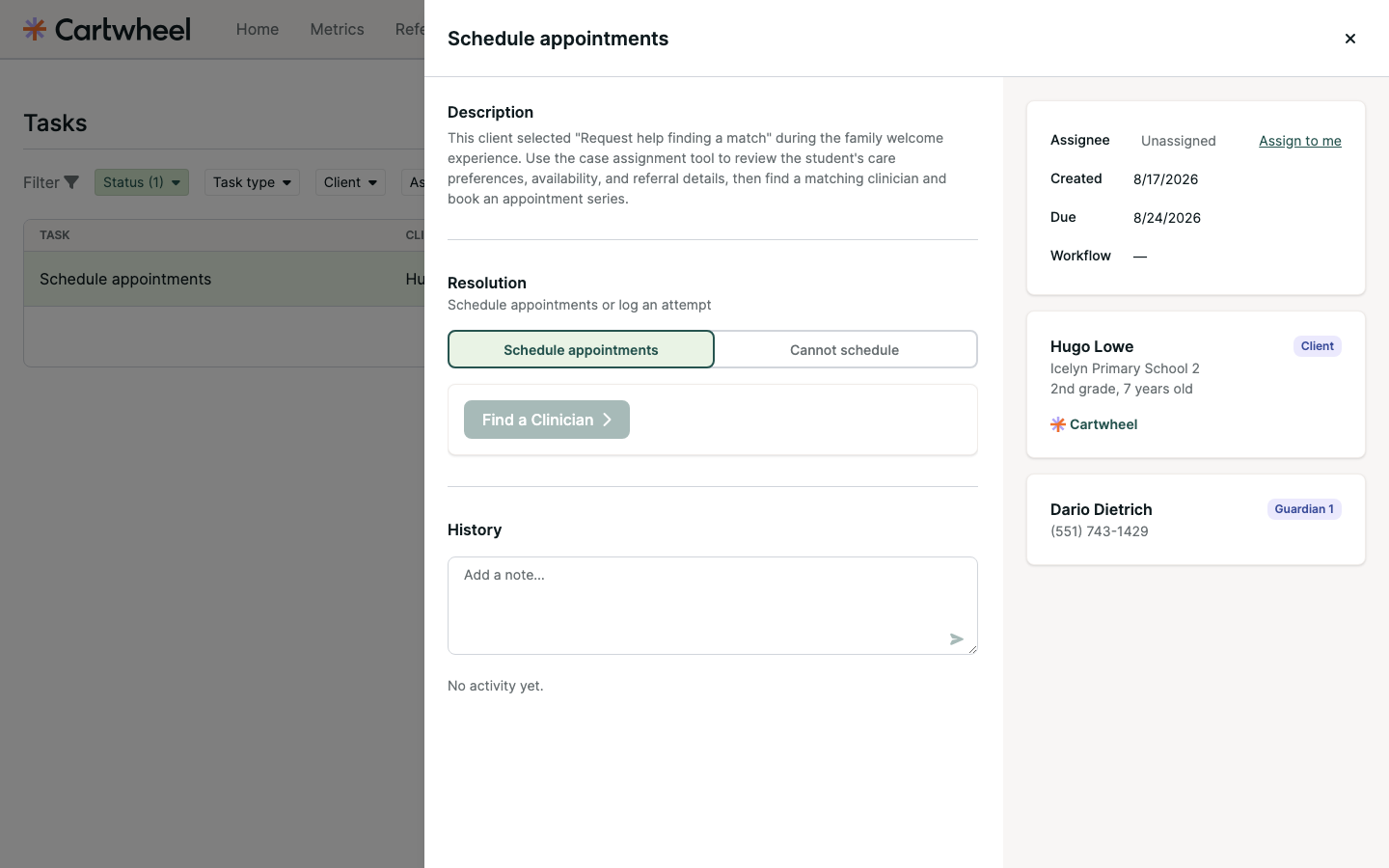
Main-branch task drawer before explicit claiming
The main-branch experience offered separate assignment and task controls, but no clear action to begin the work.
AFTERExplicit Start task
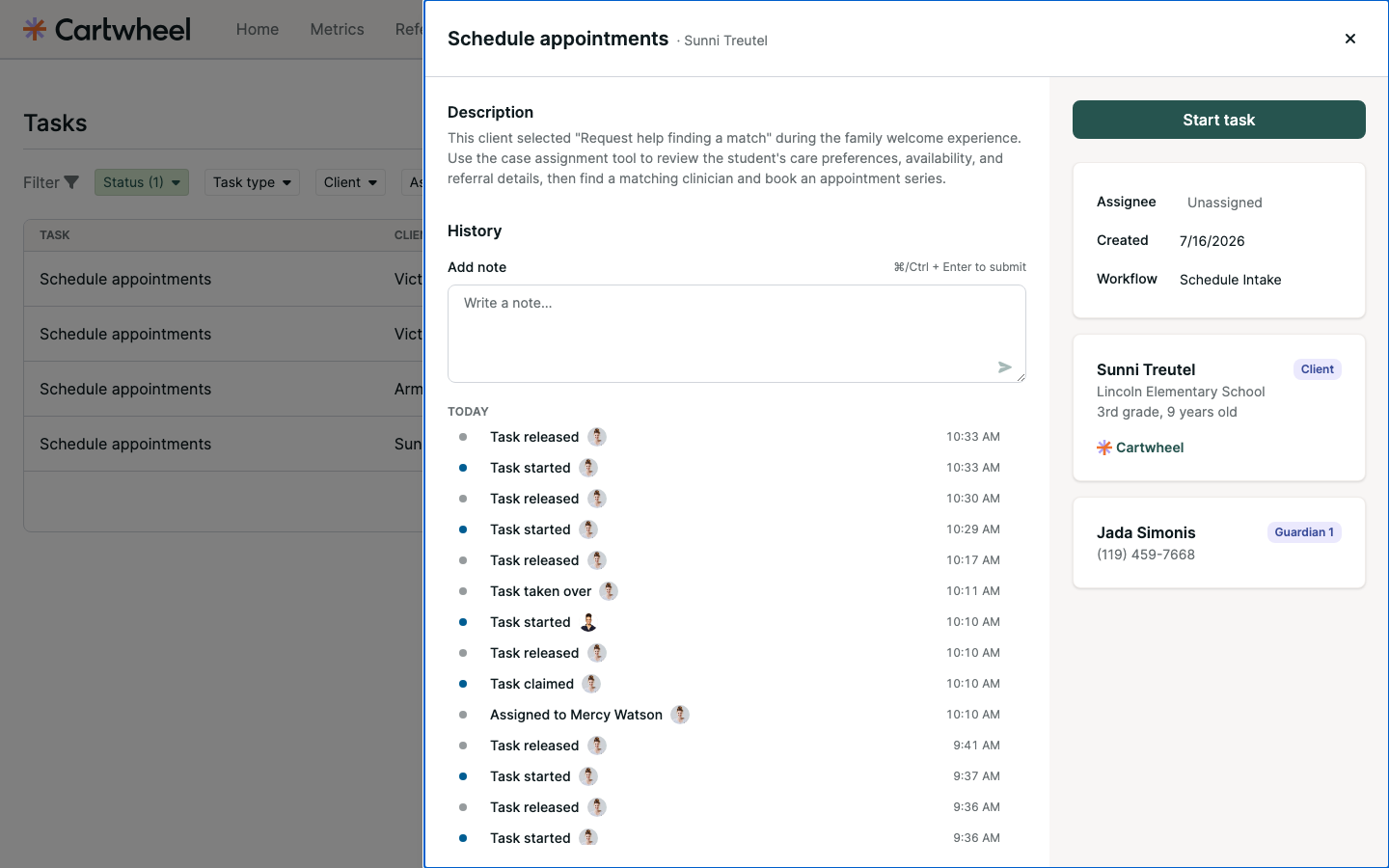
Final available task drawer
Now people can review the task first, then choose Start task when they are ready to own the work.
02 · The experience

Ownership is understandable at a glance

The primary action stays in one predictable sidebar location and changes with the task’s real state.
1

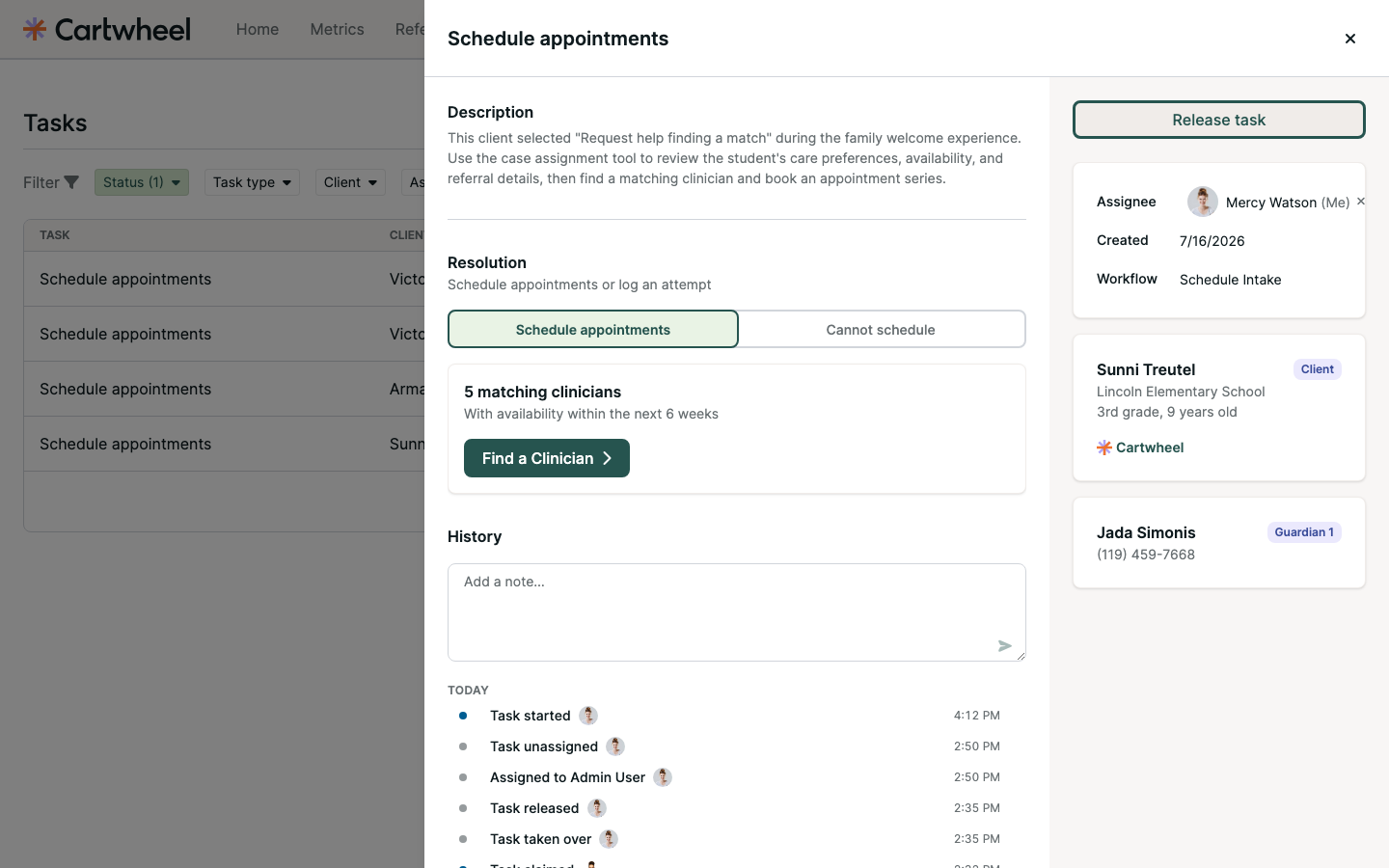
Available

Available task with Start task

Review the details without changing ownership. Press Start task to begin.
2

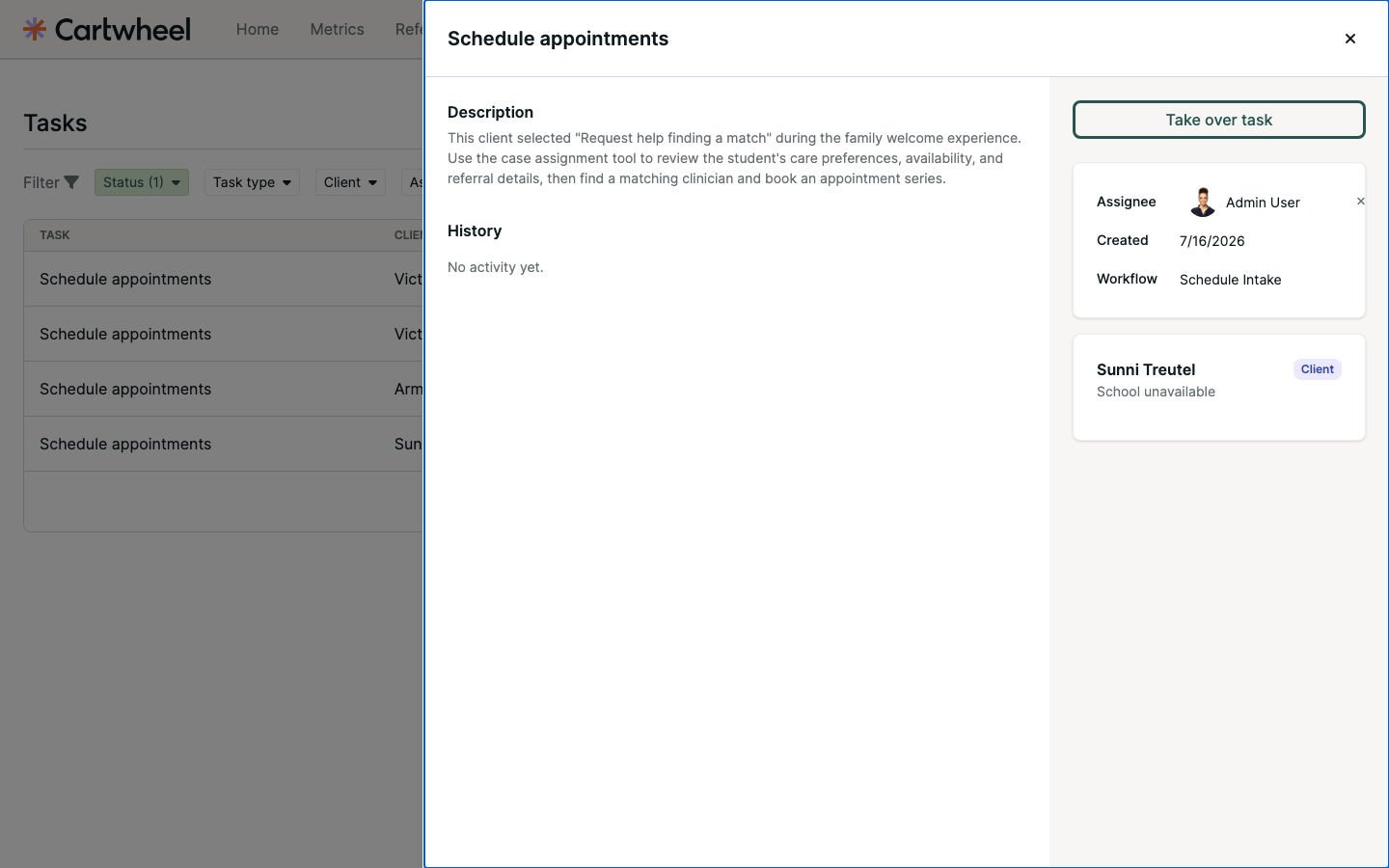
Mine

Claimed task with Release task

The assignee and ownership action agree. Release task makes it available again.
3

Owned by someone else

Task owned by another user with Take over task

Take over task is an intentional, confirmed action—not an accidental side effect.

03 · Readability

History tells a story instead of showing a log

Related ownership events are combined, activity is grouped by day, and people and times are easy to scan.
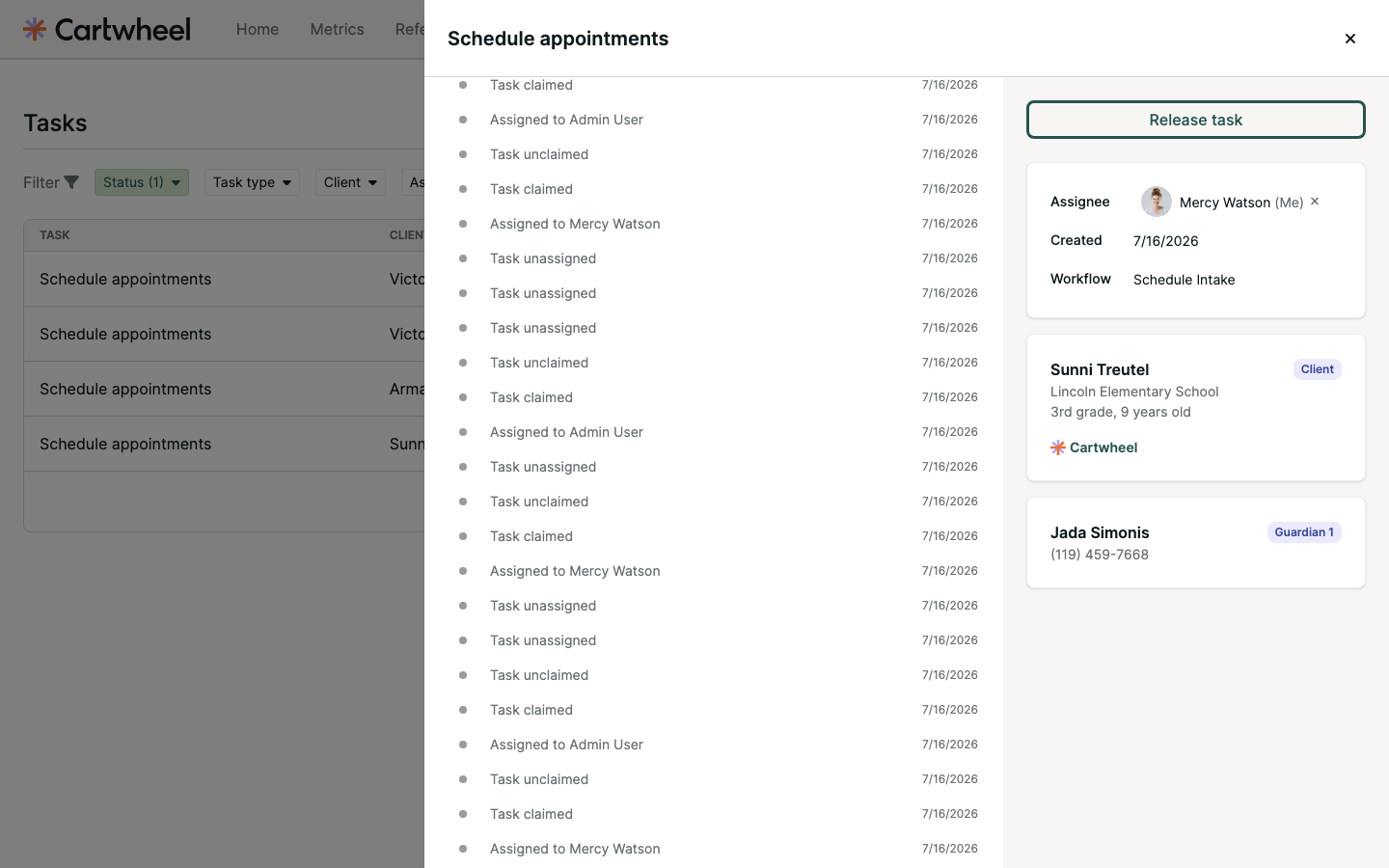
BEFOREFlat activity stream
Original flat task history
The entire main column moved, and repeated system events made ownership changes hard to parse.
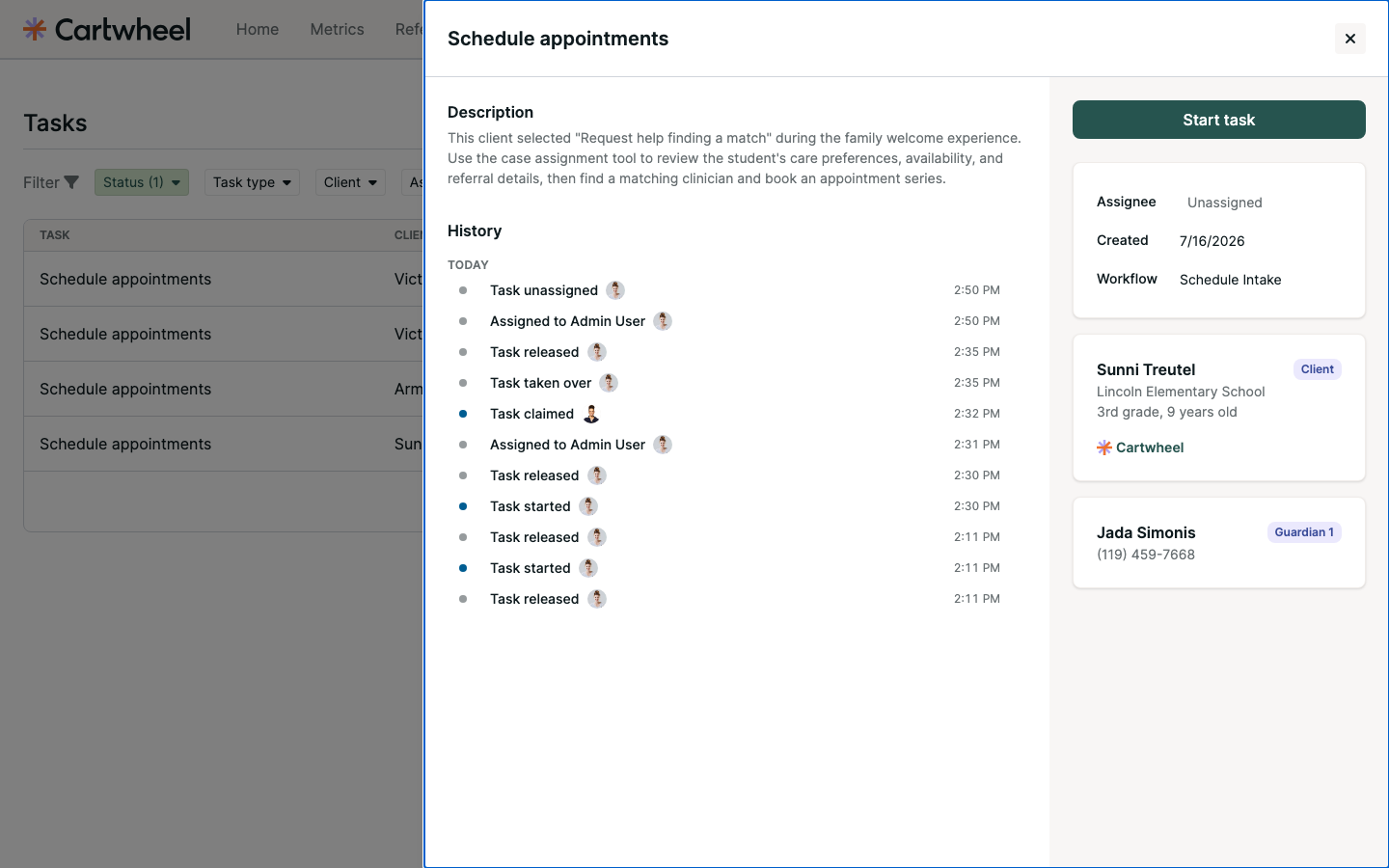
AFTERGrouped, attributed activity
Final grouped task history
Description and Resolution stay available while grouped History events scroll independently.
04 · Collaboration + safety

Everyone can add context—and drafts are protected

Notes are available to every task viewer, not only the owner. Leaving with an unfinished note requires an explicit choice.
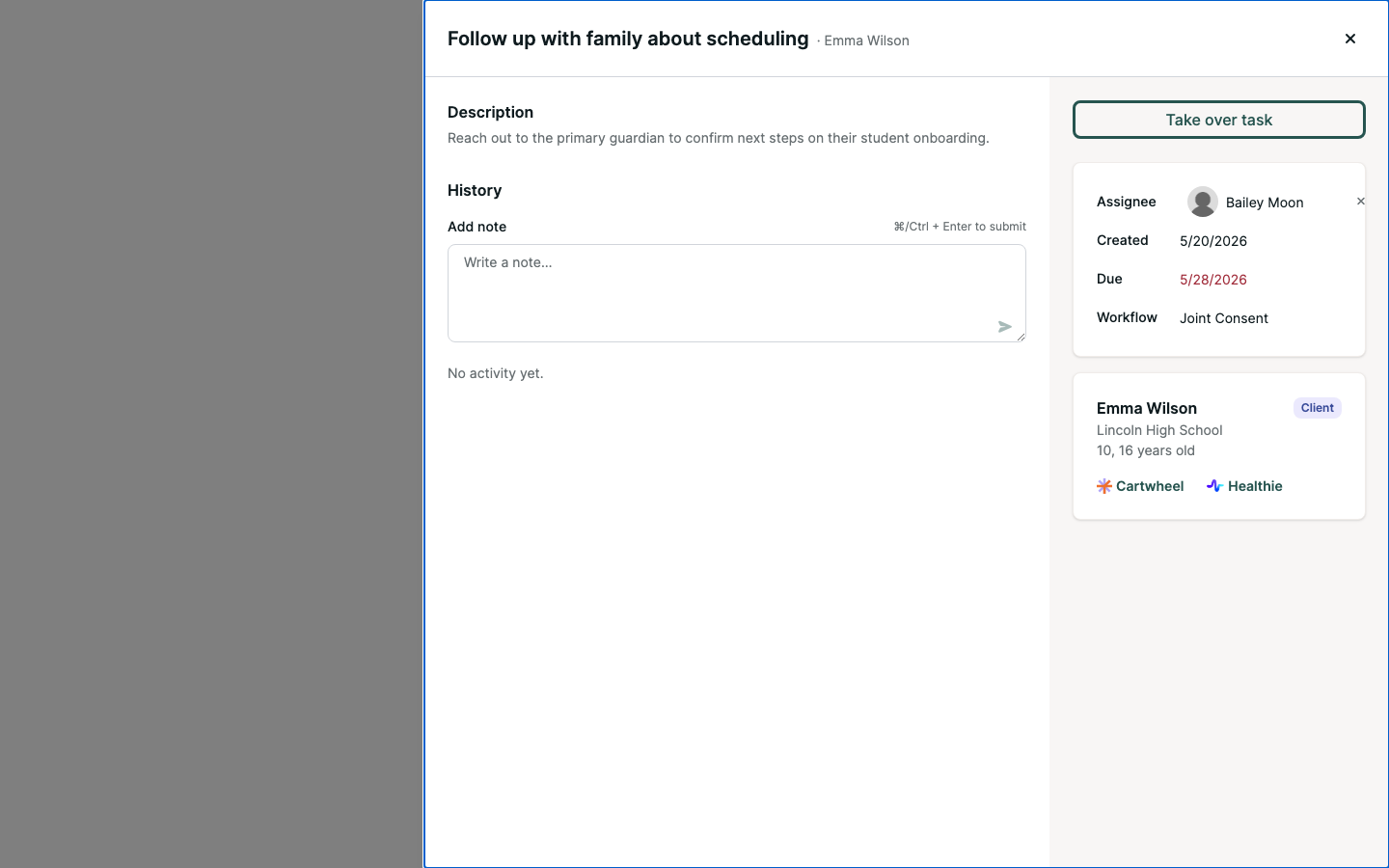
COLLABORATENotes for every viewer
Note composer available when someone else owns the task
The note composer stays available even when another person owns the task—or after the task is complete.
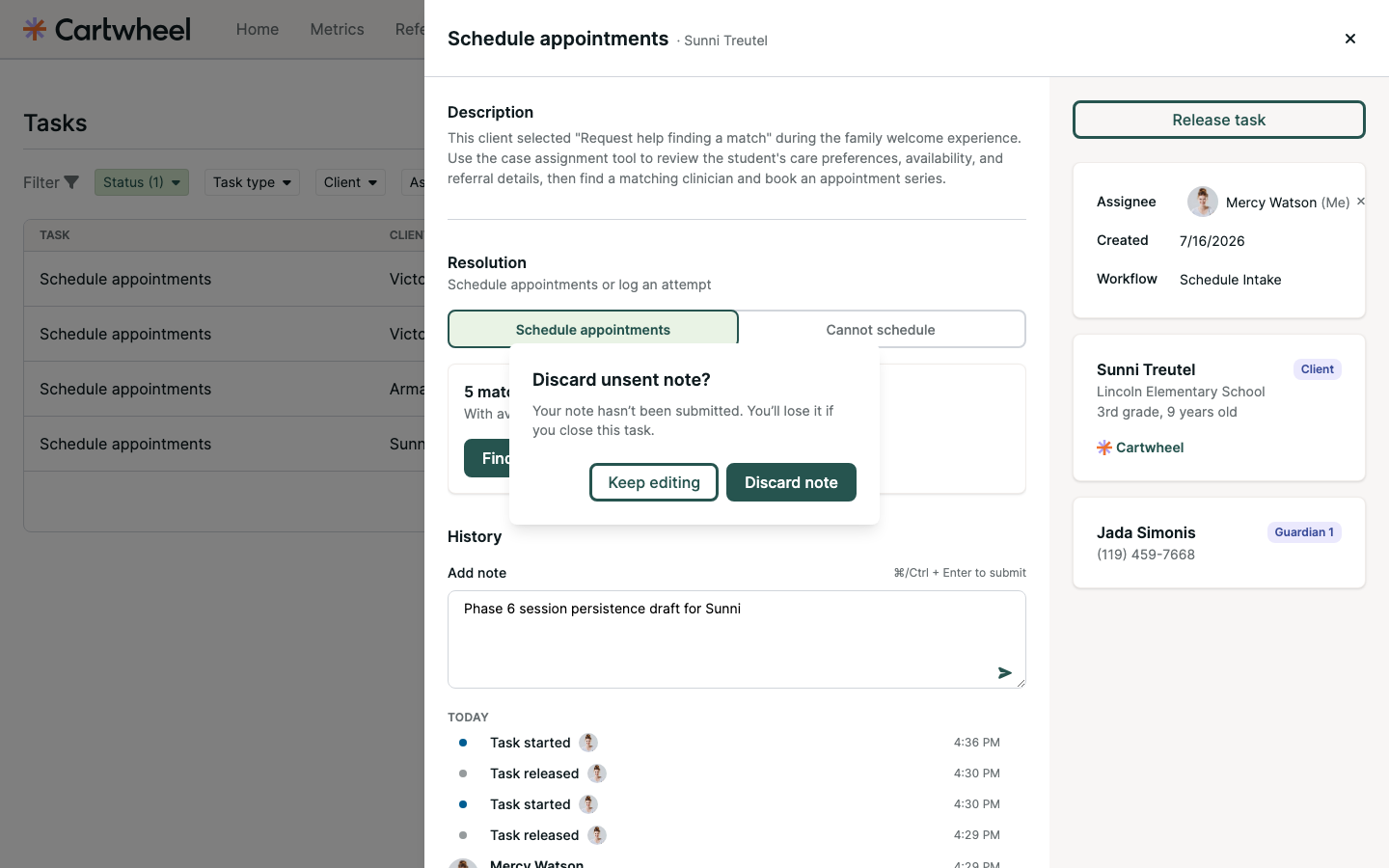
PROTECTUnsent draft confirmation
Discard unsent note dialog
Back, close, Escape, and navigation protect unfinished notes. Keep editing returns focus to the draft.
Final outcome

Safer ownership. Better context. Less friction.

The experience now supports the full journey—from inspecting a task, to intentionally starting it, collaborating through notes, and releasing or taking over work with confidence.

👀
Open safelyViewing a task never changes who owns it.
Start intentionallyOne explicit action claims and assigns the work.
Collaborate freelyEveryone who can view the task can leave notes.
Work confidentlyResponsive layout, readable History, and protected drafts reduce mistakes.
← → to navigate · click an image to enlarge